Disable UAC prompt when connecting via Quick Assist
Step-by-step
3/17/20241 min read
Disable the UAC prompt when using Quick Assist:
Log in to Intune and select "Devices"
Select "Configuration"
Create a new policy
Select Windows and Settings Catalog
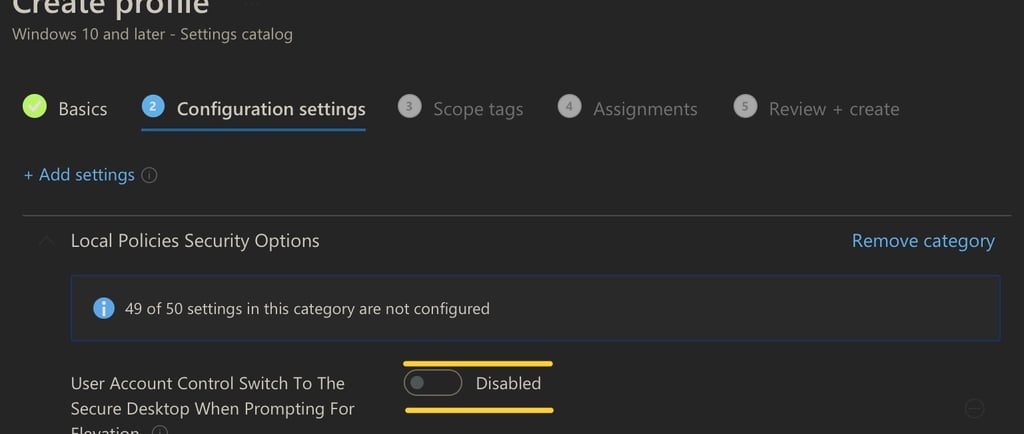
In configuration settings, search for User Account Control
Select the setting show in the picture, set it to "Disabled"
Assign the policy and after the next policy sync, you will be able to eleveate and type your admin password without being blocked by secure desktop when using Quick Assist.